In this guide
Who to invite
Couples usually invite family, guests staying overnight and their closest friends. There's no single rule: some invite everyone, others only those staying anyway. What matters is that guests know before the wedding.
How to invite
Don't invite people only by word of mouth: it leads to misunderstandings, and you won't know how many are coming.
- on the invitation, with a line on the invitations it includes,
- with a separate insert, if only some guests are invited,
- on your RSVP page, where invited guests see the event in the schedule and answer it separately.
Why ask separately
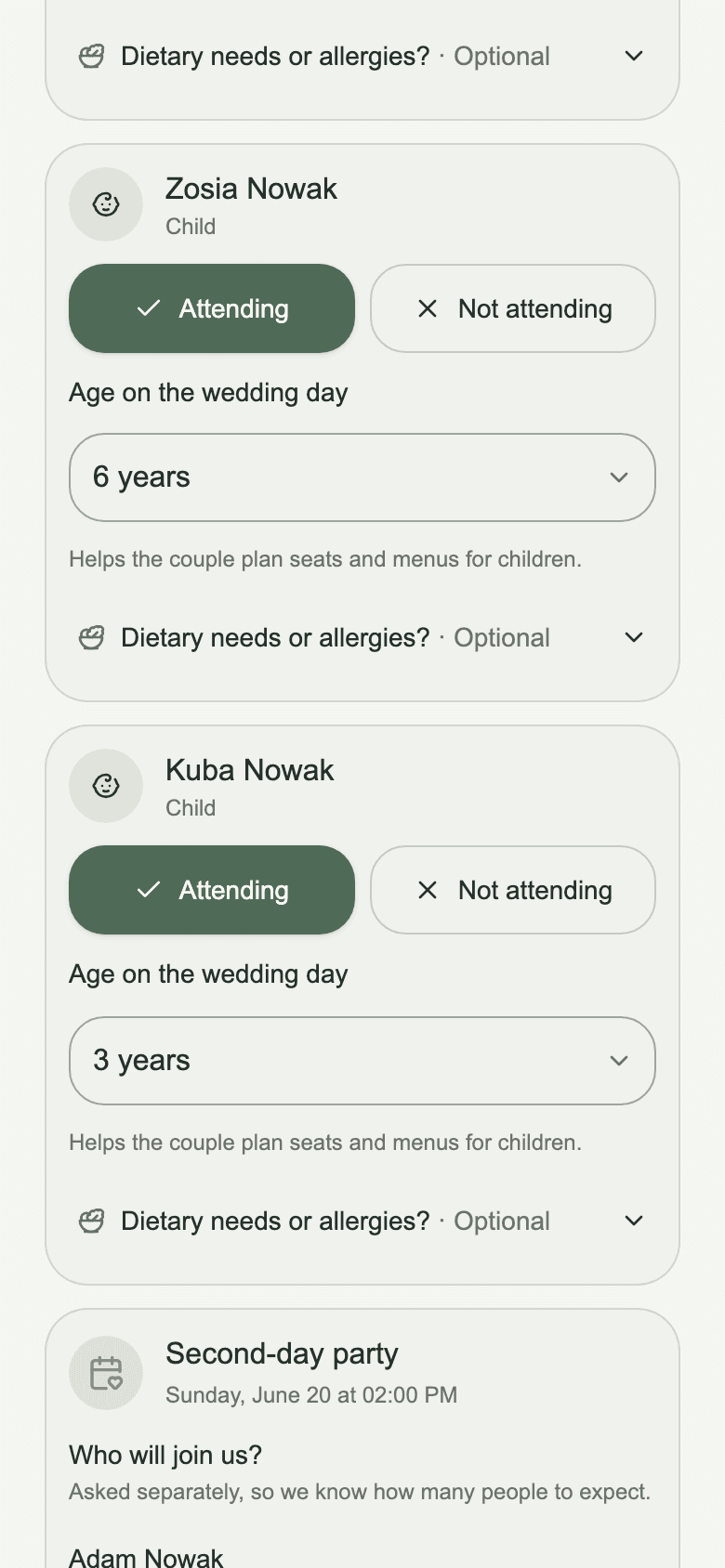
Not everyone at the wedding stays for the next day: someone travels home early, someone has small children. If you only ask about the wedding, the number for the second day is a guess. A separate question gives you a separate, exact number.
Extra events in Wedding Guests
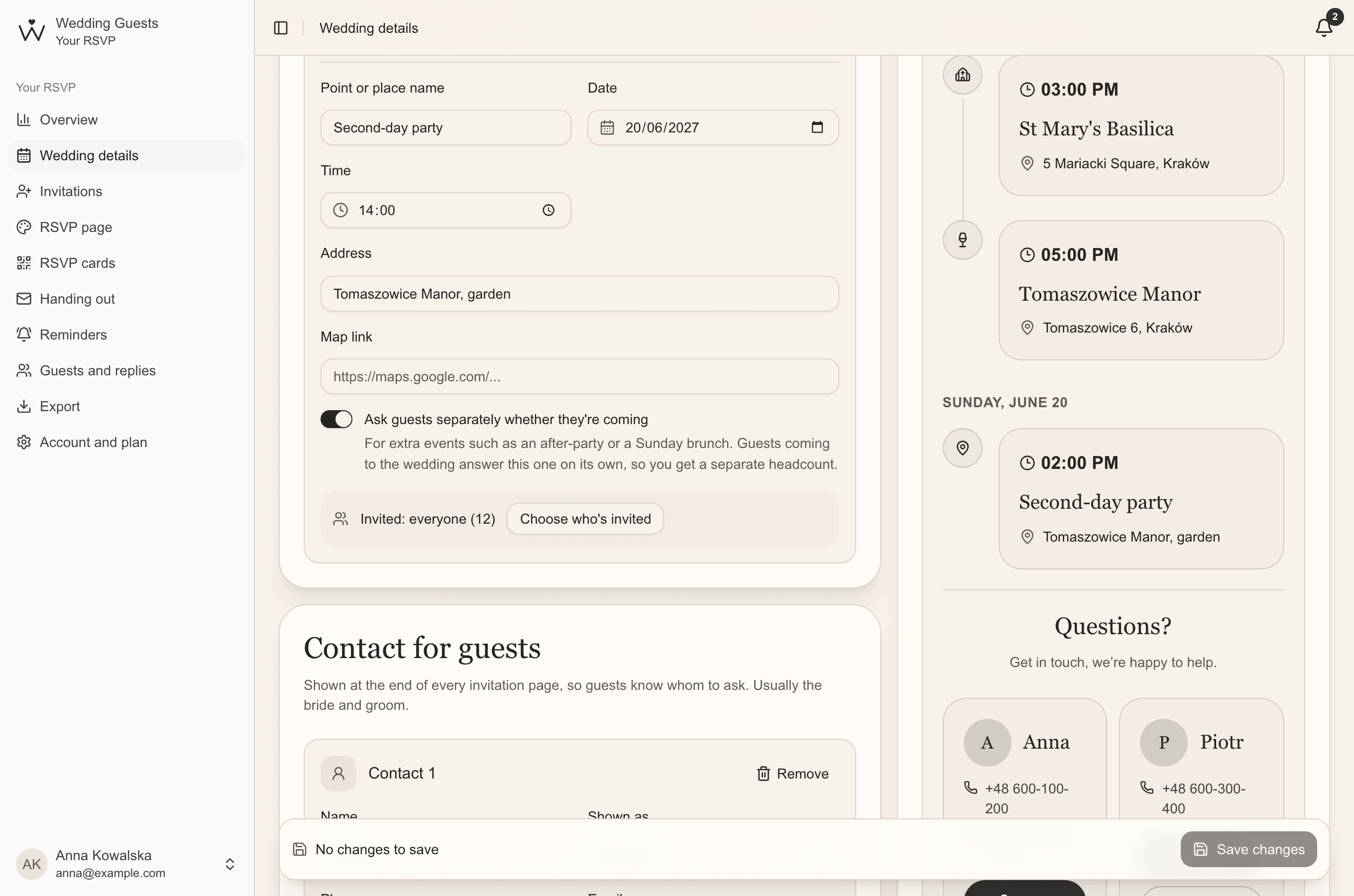
- In Wedding details, add a place, for example Second-day party, with its date, time and address.
- Turn on Ask guests separately whether they're coming. Guests coming to the wedding then answer this event on its own.
- Click Choose who's invited if it isn't for everyone, and tick the invitations on the list.
- Save your changes. The event appears in the schedule only for invited guests.
What guests see
Everyone who confirms they're coming to the wedding is asked about the extra event: coming or not. Guests not coming to the wedding don't need to answer for the next day.
A separate number for every event
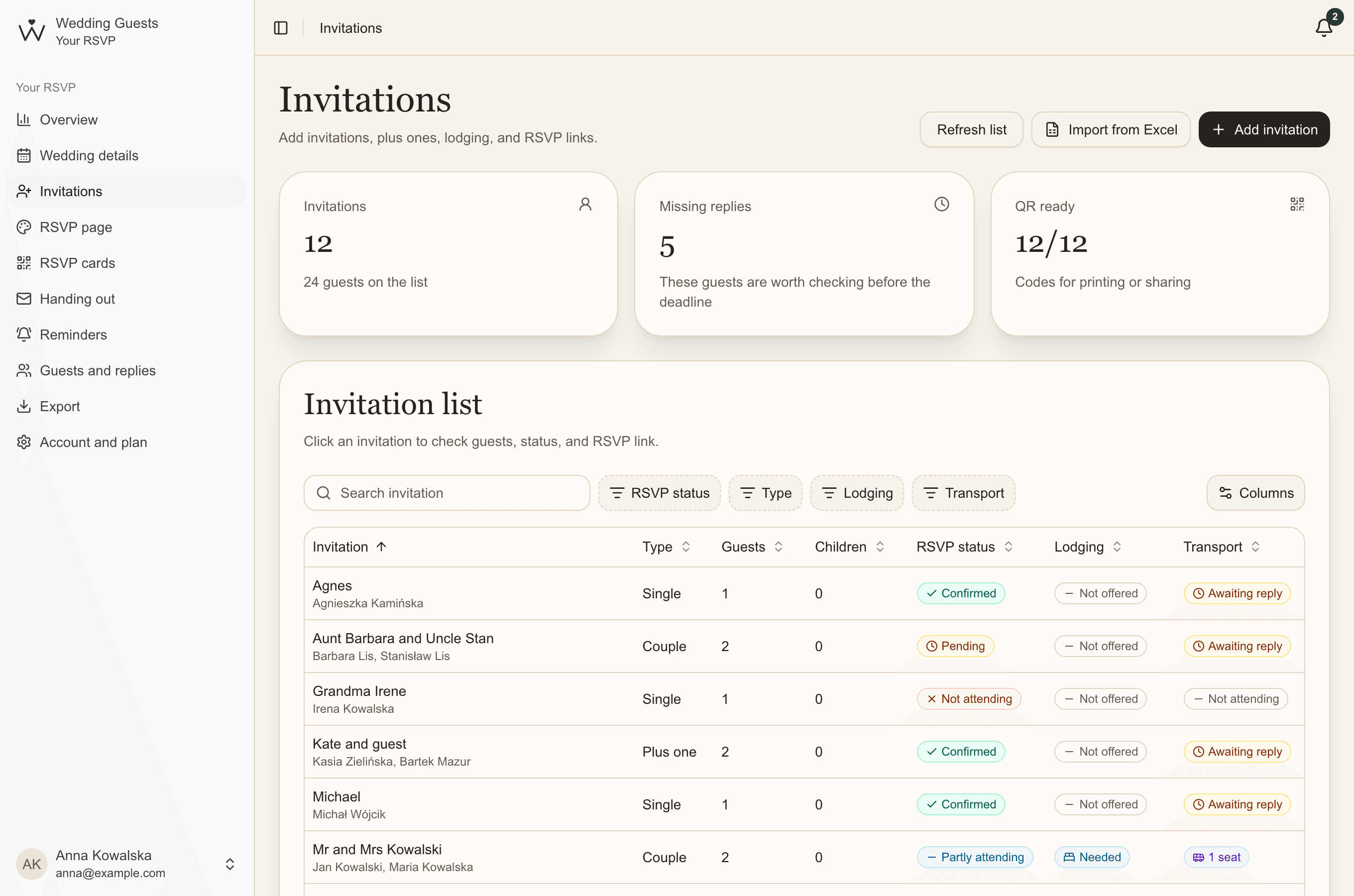
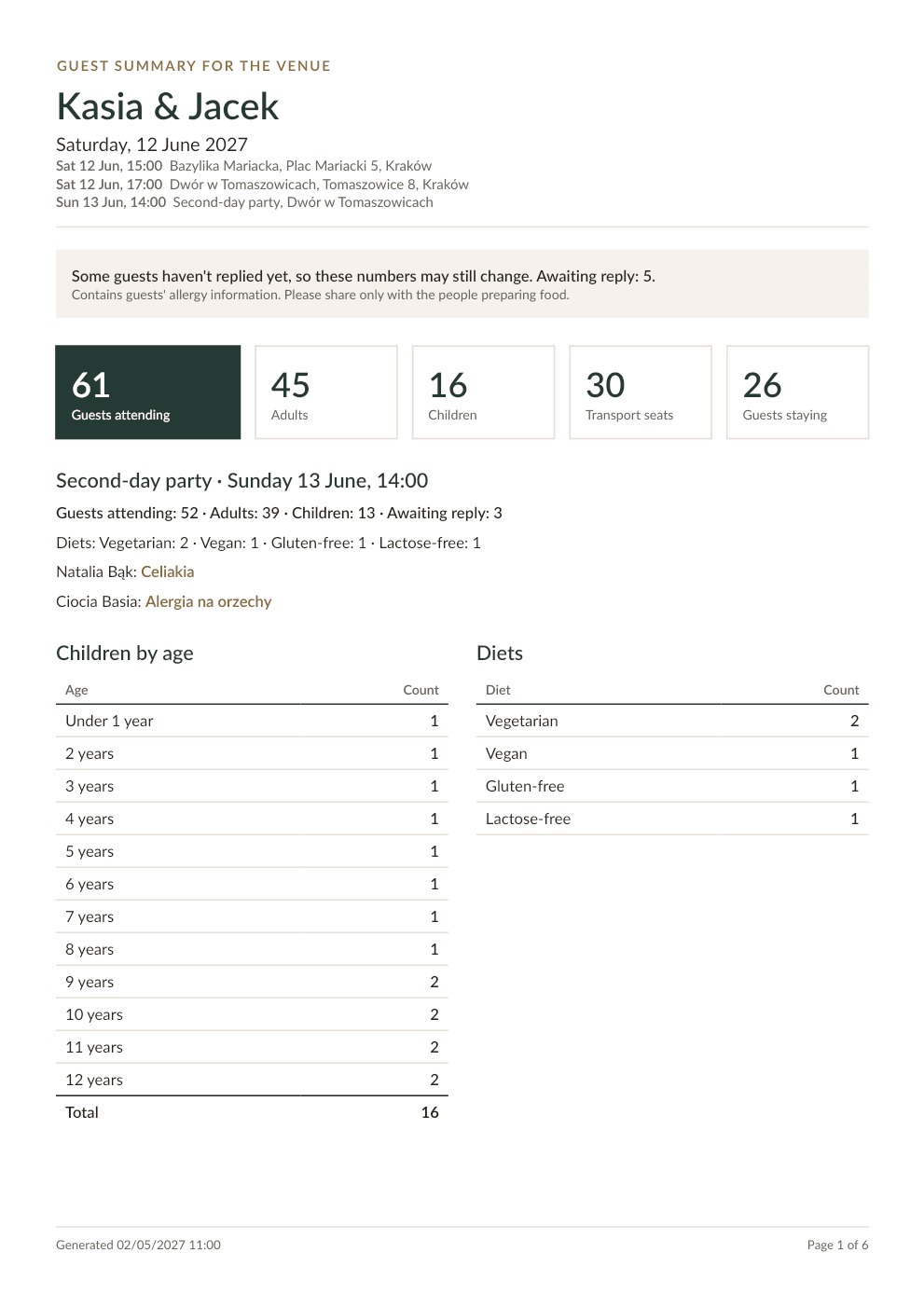
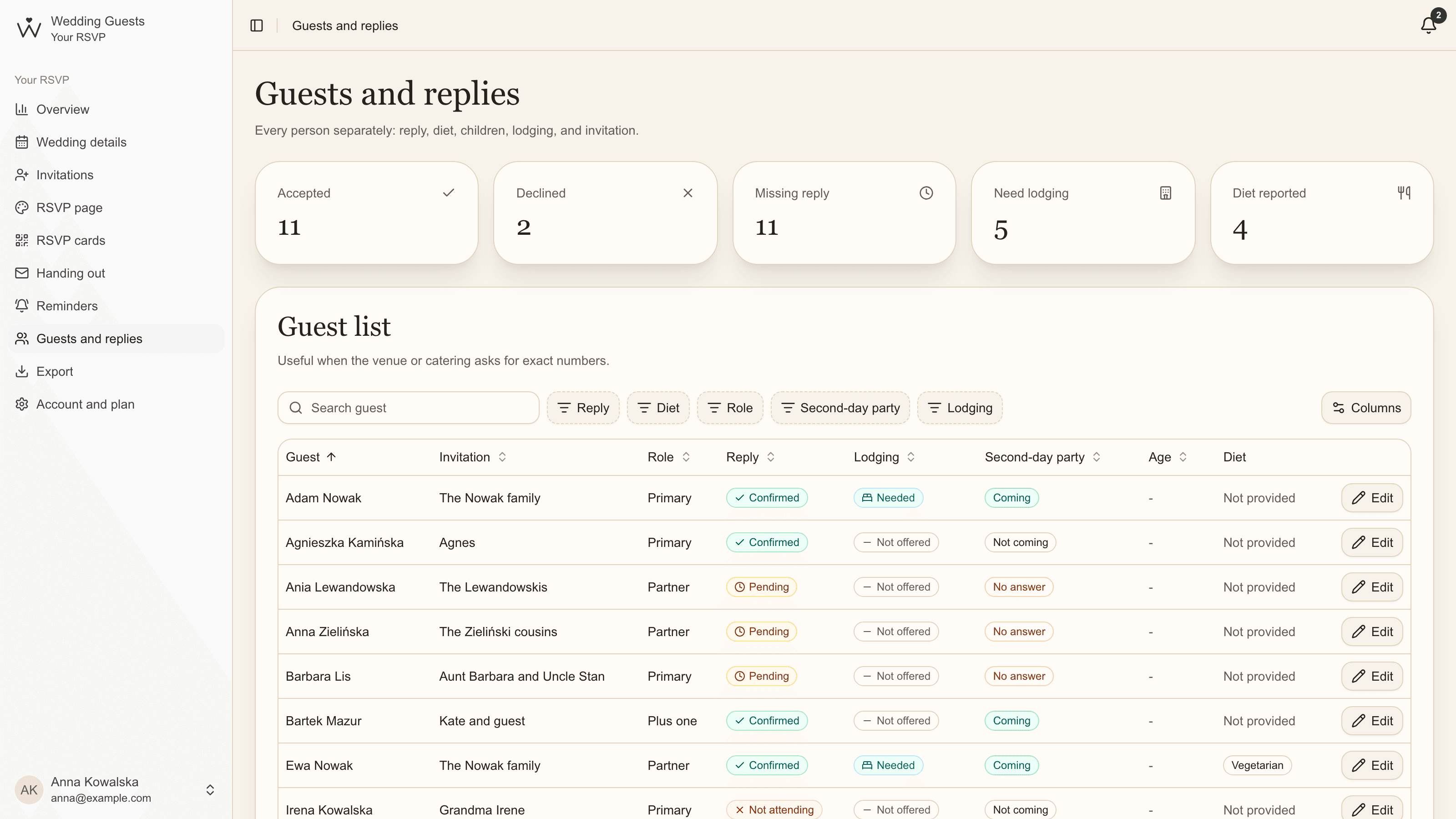
In your overview, each event has its own card: how many are coming, how many aren't and how many haven't answered. The guest list has a column and a filter for every event, and the export and venue PDF count them separately too.
Common questions
- Should every wedding guest be invited to the second day?
- You don't have to. Couples often invite family, guests staying overnight and close friends. Just make sure invited guests know before the wedding.
- How do we invite only some guests?
- With a line or an insert in their invitations. In Wedding Guests, choose who's invited on the list; other guests never see the event on their page.
- Can we add more than one extra event?
- Yes, you can ask separately about up to 5 events. Each has its own invite list and its own headcount.