In this guide
When to remind
About a week before your reply-by date is best: guests still have time, and you have room for a second round. If the date has passed and someone is still silent, one short message or a call is enough. Only remind guests who already have their invitation.
What to write
Short, warm and with a link where they can answer straight away. For example:
"Hi Mark! We can't wait for our wedding. Could you let us know by 8 May whether you can make it? It takes a minute: (link). Anna and Piotr".
The guest's name, the date and their personal link make the message sound like you, not a machine. Avoid reproaches like "you still haven't replied": most people simply forgot.
Reminders in Wedding Guests
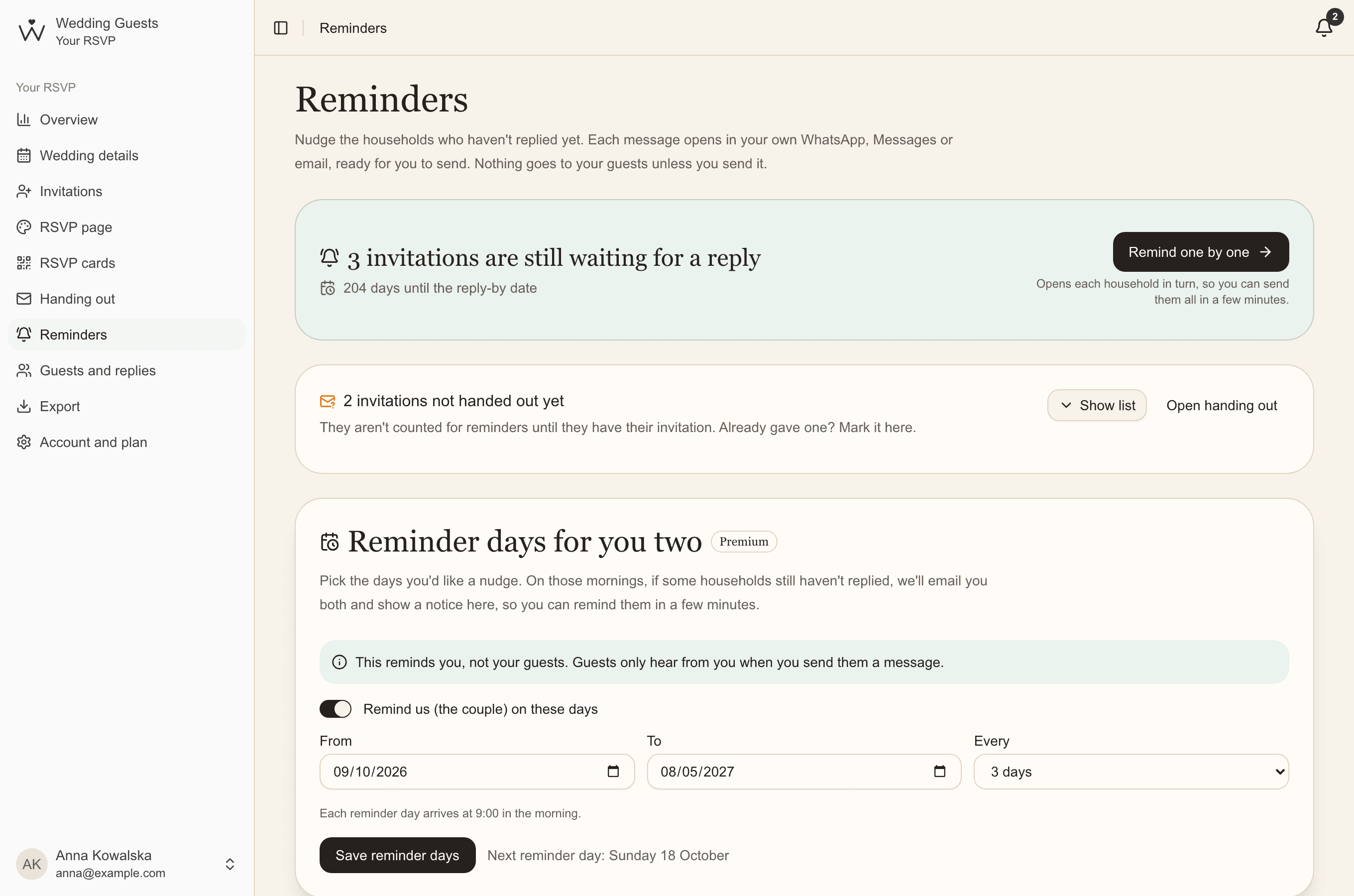
The Reminders page lists the invitations still waiting for a reply, longest-waiting first. Each message opens in your own WhatsApp, Messages or email, ready to send. The app never writes to your guests on its own.
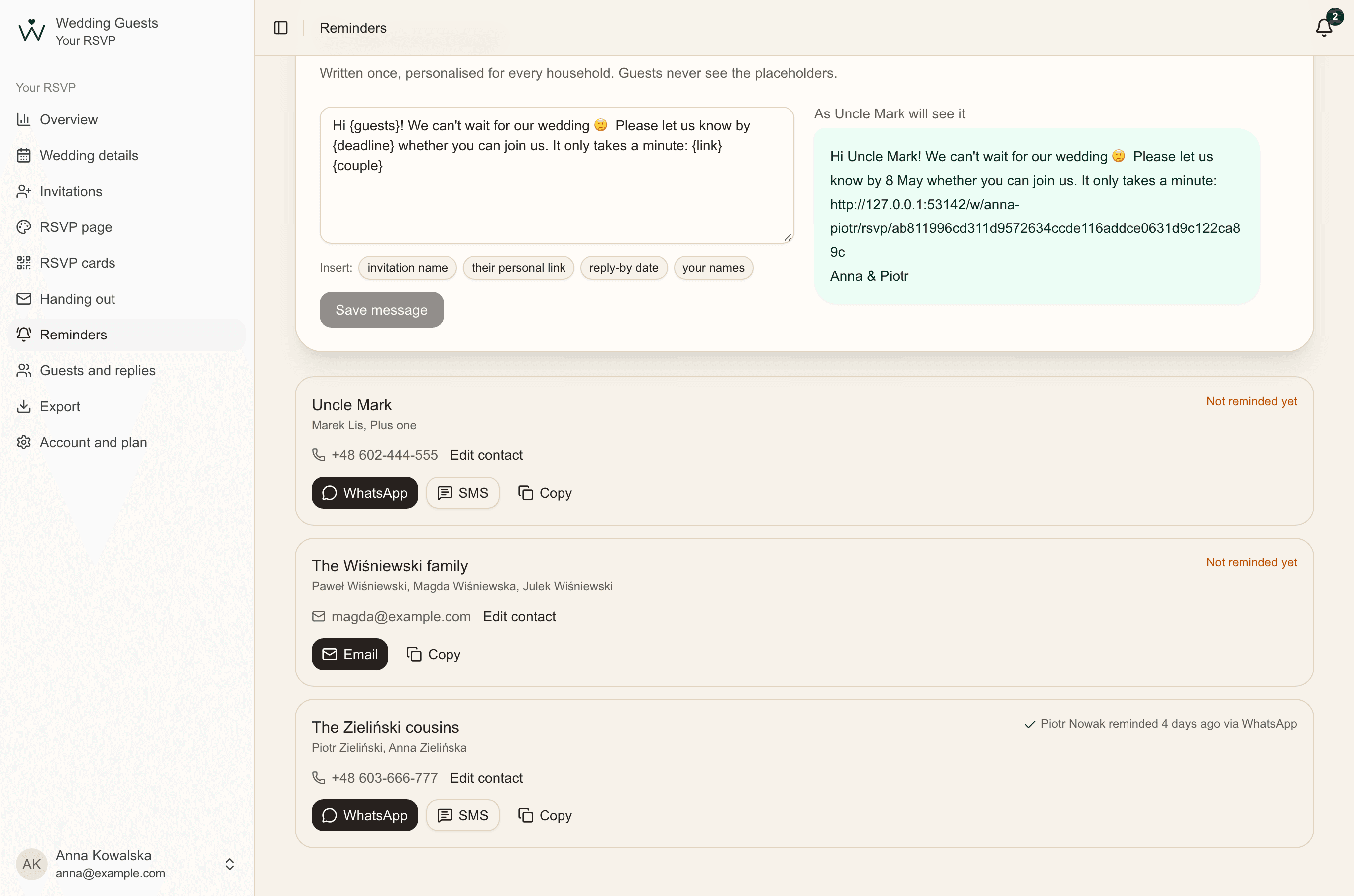
- Open Reminders. Under Your message, write it once, inserting the invitation name, their personal link, the reply-by date and your names. Beside it you see how a particular guest will read it.
- Next to an invitation, tap WhatsApp, SMS or Email. Your own app opens with a ready, personal message.
- Send it. The reminder is recorded for you both, with the date and channel, and can be undone.
- Got several? Click Remind one by one: invitations open in turn, so you can send them all in a few minutes.
Guests' phone numbers and emails
For a reminder to open straight in the right conversation, the invitation needs a phone number or email. Add them on the invitation, in your Excel import or right on the Reminders page. It works without one too: click Copy and paste the message wherever you like. Contacts are only for reminders and guests never see them.
Reminder days for you two
PremiumIt's easy to forget reminders amid everything else. Choose a period and how often, for example every 7 days until your reply-by date. On those days at 9:00, if anyone still hasn't replied, you both get an email and a notice in your dashboard with the number of invitations waiting.
This reminder is for you, not your guests. You always send messages to guests yourselves.
Know when someone replies
When a guest replies, you get an email and a notice in your dashboard saying how many are coming and how many aren't. They also leave the reminders list, so nobody is reminded after answering.
Common questions
- Does the app send reminders to guests by itself?
- No. Each message opens in your own WhatsApp, Messages or email, and you decide whether to send it. Guests only ever hear from you.
- What if a guest doesn't use WhatsApp?
- Send a text or an email, or if you don't have their contact, copy the message and send it however you like.
- How many times can we remind someone?
- One reminder a week before your date, and if needed a second just after it, is usually enough. Each invitation shows who reminded them and when.